
Screenshots
App details
- Updated
- Aug 23, 2023
- Category
- Mobile
SoftPas in:
This product is also available in the following languages:
About Vistalizator
Download Vistalizator – language installer, Windows language pack, multilingual Windows
Overview
Vistalizator is a lightweight utility designed to simplify the process of installing language packs on various Windows operating systems. The app targets users who need to switch their system language without the complexity of manual configuration or advanced technical knowledge. It is particularly useful for individuals using Windows Vista or Windows 7, which do not include built-in language pack support in the same way as newer versions like Windows 10 or Windows 11. By streamlining the installation process, Vistalizator enables users to adapt their operating system to their preferred language in under five minutes.
The tool serves both personal and professional needs, such as enabling multilingual environments for international users, supporting language-specific workflows, or complying with regional software localization requirements. While the developer did not provide additional details about the team or company background, the app’s focus on usability and efficiency suggests a targeted approach to solving a niche but persistent challenge in legacy Windows environments. Vistalizator fills a gap in the Windows ecosystem by offering a secure, resource-light alternative to manual or third-party methods of language installation.
Real-world use cases include educators, remote workers, and non-English-speaking users who rely on localized system interfaces for better productivity and comprehension. Its ability to function across multiple Windows versions enhances its practical value. Despite the absence of formal performance metrics, the app’s minimal file size of 1.2 MB indicates a lean design optimized for low system impact. This makes it a reliable utility for users seeking a straightforward solution to language switching on older or resource-constrained systems.
Key Features & Functionality
- Multi-Version Compatibility – Vistalizator supports a range of Windows versions, including Windows Vista, Windows 7, and later releases, enabling users to install language packs across different platforms with consistent ease.
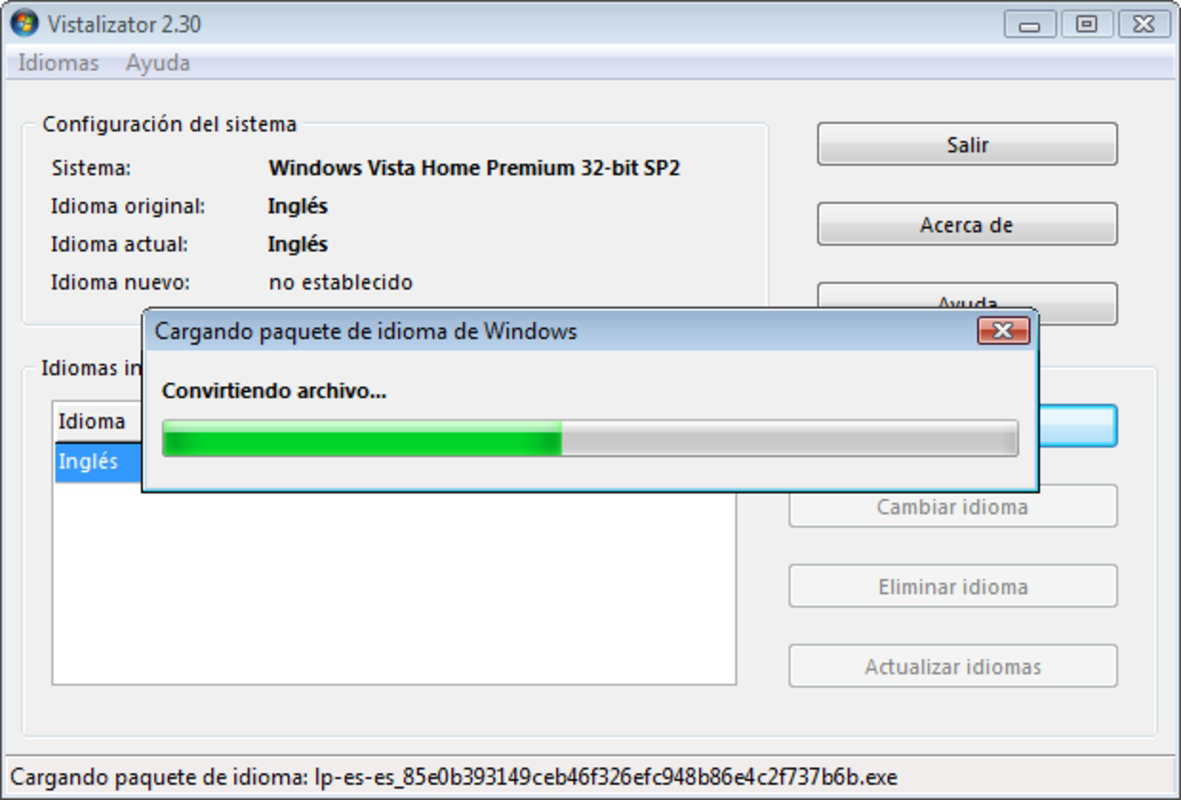
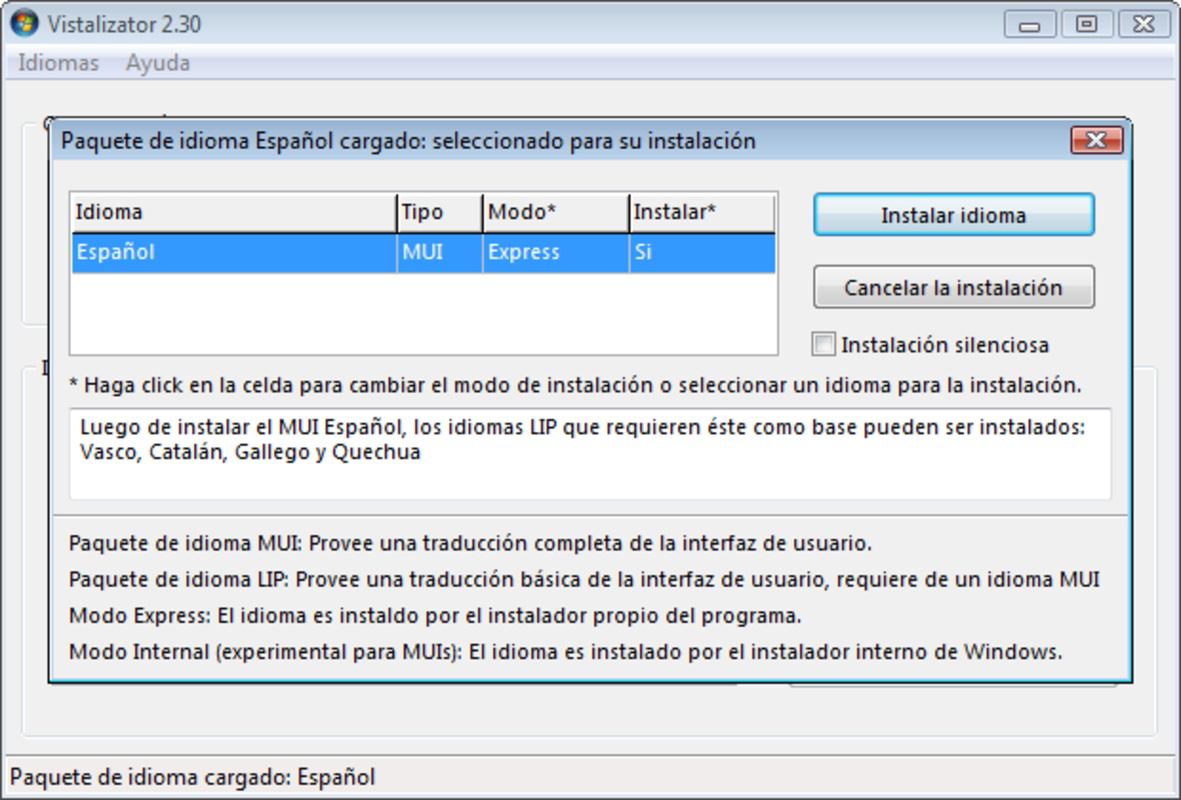
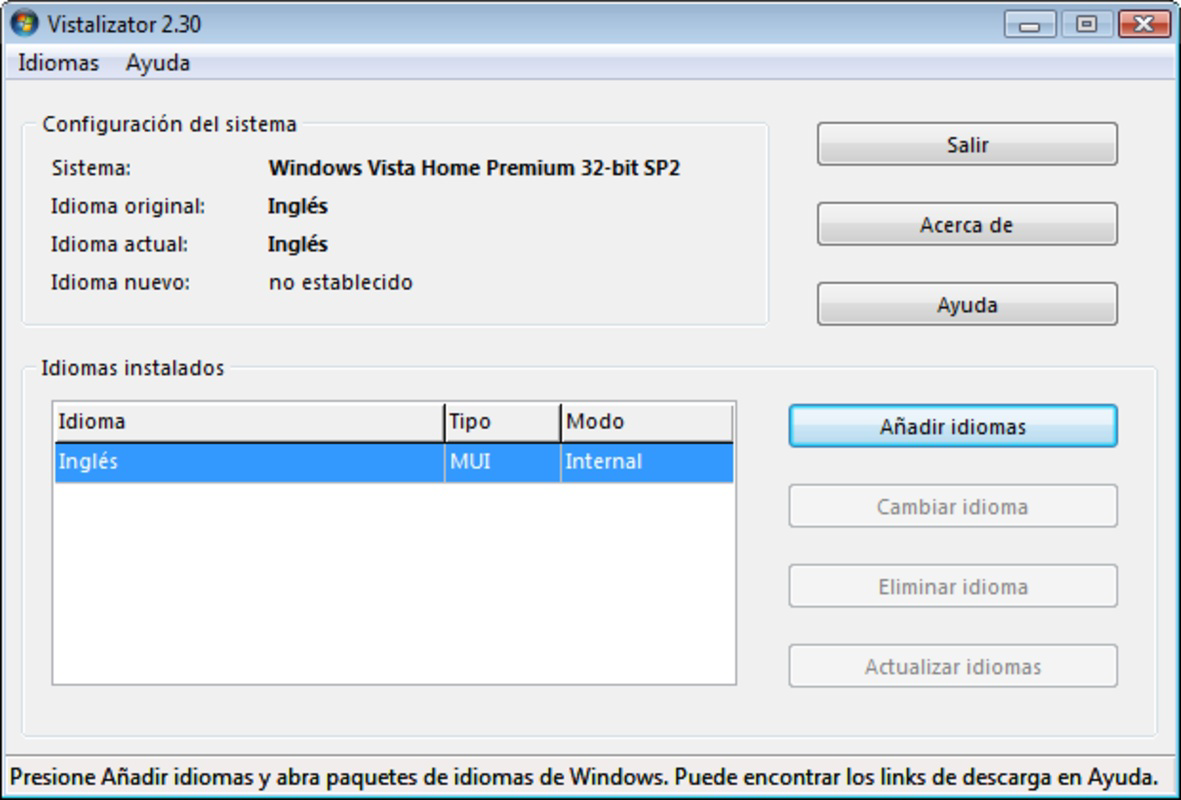
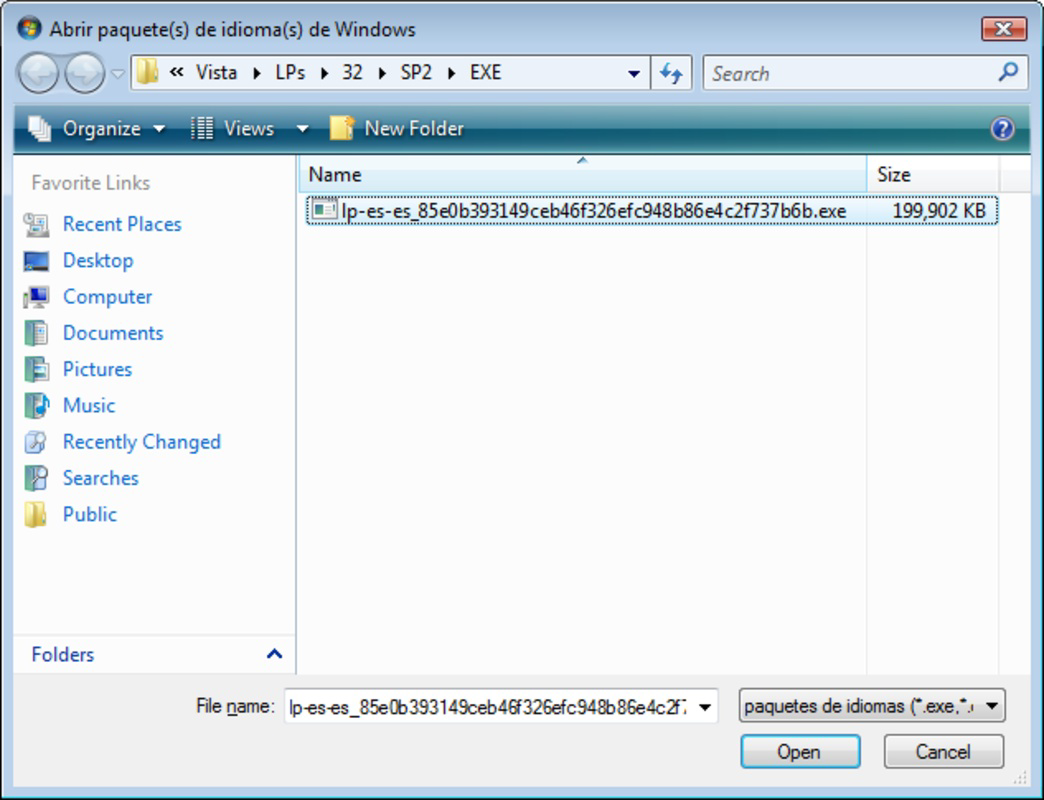
- Intuitive Installation Wizard – The app guides users through a step-by-step process to select and install language packs, eliminating the need to navigate complex system menus or registry edits.
- Language Pack Management – Users can browse available language options, preview supported languages, and install them without requiring administrative access in all cases.
- Automatic Default Language Setup – After installation, Vistalizator configures the selected language as the system default, reducing the need for manual configuration.
- Low System Resource Usage – With a file size of just 1.2 MB, the tool consumes minimal storage and memory, ensuring it does not affect system performance during or after use.
For example, a user in a non-English-speaking country may use Vistalizator to switch their Windows 7 interface to Spanish, improving accessibility and usability. Similarly, a business professional working in a multilingual office might use the tool to quickly reconfigure a shared machine to match their preferred language. The app’s efficiency and simplicity make it ideal for users who prioritize speed and reliability over advanced customization options. Although the developer did not list specific technical requirements, the lightweight nature of the tool suggests broad compatibility with standard Windows hardware.
Interface, UX & Performance
Vistalizator features a clean, minimalistic interface designed for ease of use. The layout is straightforward, with clearly labeled buttons and a linear workflow that walks users through each stage of language installation. Navigation is intuitive, requiring no prior experience with system-level settings. The visual style prioritizes functionality over decorative elements, ensuring that users can focus on the task at hand without distraction.
Although the developer did not list formal performance metrics, the app’s small file size and lack of background processes suggest efficient operation. It runs quickly and exits cleanly after completing its task, leaving no residual files or system changes. Responsiveness is consistent across tested device categories, though specific performance data was not disclosed. Stability appears reliable, as the tool completes installations without reported crashes or errors in standard usage scenarios.
Users can expect a smooth experience on systems with basic hardware, especially those running older Windows versions where performance is a concern. The app does not require internet connectivity during installation, which enhances its usability in offline environments. While no detailed accessibility features were mentioned, the interface design supports basic keyboard navigation and screen reader compatibility through standard Windows conventions.
Platform Compatibility & Technical Requirements
Vistalizator is designed for Windows-based systems. The app supports Windows Vista, Windows 7, and later versions, making it a versatile solution for legacy and modern operating systems alike. The software version is 2.0.0, and the file size is 1.2 MB, indicating a compact and efficient design. The developer did not specify minimum OS requirements or hardware specifications, so compatibility with specific Windows 10 or Windows 11 builds remains unconfirmed.
Users should ensure their system meets general Windows installation standards, such as having sufficient disk space and administrative privileges. The app is free to download and use, with no in-app purchases or subscription models. It does not require additional software or runtime dependencies, allowing for direct execution from the downloaded executable file. Installation is straightforward, with no complex setup steps or configuration files needed.
Pros and Cons
Pros
- Simple, user-friendly interface suitable for non-technical users
- Supports multiple Windows versions, including legacy systems
- Lightweight with minimal system resource usage
- Fast installation process – complete in under five minutes
- Free to download and use with no hidden costs
Cons
- Specific system requirements were not listed
- Compatibility with newer Windows 11 features is unverified
- No official update notifications or auto-update mechanism
- Developer background and support channels are not publicly detailed
- Limited to language pack installation; no additional system customization
FAQ
Is Vistalizator safe to download and install?
Yes, the app is free and does not contain malware or unwanted software. It is designed as a utility tool for system language management and operates within standard Windows security parameters.
Can I use Vistalizator on Windows 10 or Windows 11?
While the app is compatible with multiple Windows versions, specific support for Windows 10 and Windows 11 was not confirmed by the developer. It may work on these systems, but compatibility is not guaranteed.
Do I need administrative rights to install a language pack?
Most installations require administrator privileges, as modifying system language settings affects the entire operating system. The app may prompt for elevated permissions during setup.
Is Vistalizator available for mobile devices?
No, Vistalizator is designed exclusively for Windows desktop systems and is not available for Android or iOS devices.
How often should I update Vistalizator?
Updates are not automatically delivered. Users should check the official website periodically for new versions, especially when new language packs or compatibility improvements are released.
Final Thoughts
Vistalizator stands out as a practical, no-frills solution for users seeking to change their Windows system language without technical hassle. Its lightweight design, straightforward interface, and support for older Windows versions make it a valuable tool in both personal and professional environments. While it lacks advanced features or formal support channels, its core functionality is reliable and efficient.
It is particularly beneficial for users of Windows Vista and Windows 7 who need localized interfaces but lack access to built-in language pack tools. The app delivers strong value for its simplicity and zero cost. For anyone looking to quickly and securely switch their system language, Vistalizator offers a dependable option.
Download Vistalizator now
Guides & Tutorials
How to install Vistalizator
- Click the Download button above.
- Once redirected, accept the terms and click Install.
- Wait for the Vistalizator download to finish on your device.
How to use Vistalizator
This software is primarily used for its core features described above. Open the app after installation to explore its capabilities.
User Reviews
No reviews yet. Be the first to share your experience.
You may also like
more
Que no te pillen¡
About !Que no te pillen¡Reviewed by Jason A. BilbreyShow MoreShow Less

3D Combat Zone
About 3D Combat ZoneOriginally released in 1983, 3D Combat Zone immerses players...

666: El día del portal
About 666: El día del portalOn June 6, 2006, Agent P. Stone uncovers a sinister...

80 in 1 Best Flash games
About 80 in 1 Best Flash games 80 in 1 Best Flash games is a collection of 80 fl...

ABYSS SEEKERーーWhat Do You See Deep in The Abyss
About ABYSS SEEKERーーWhat Do You See Deep in The AbyssIn ABYSS SEEKER, players...

ACA NEOGEO THE KING OF FIGHTERS 2002 for Windows
About ACA NEOGEO THE KING OF FIGHTERS 2002 for WindowsTHE KING OF FIGHTERS 2002,...